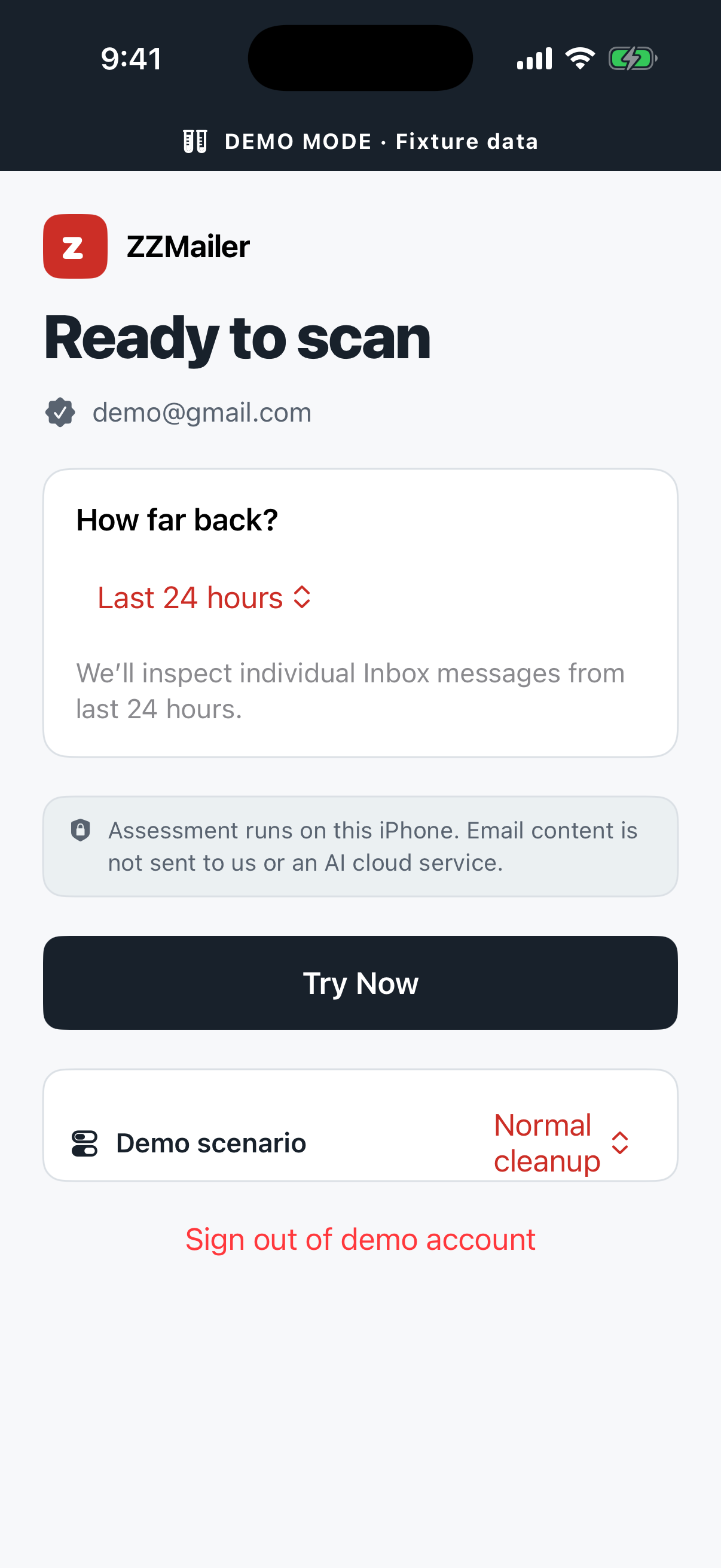
01 / CHOOSE
Pick a time window.
Connect Gmail, choose how far back to look, then start when you are ready.
For iPhone · For your peace of mind
Find unwanted Gmail messages with AI that runs on your iPhone. Review the results. You decide what goes.
See how ZZMailer worksPrivate on-device assessment. No automatic deletion.
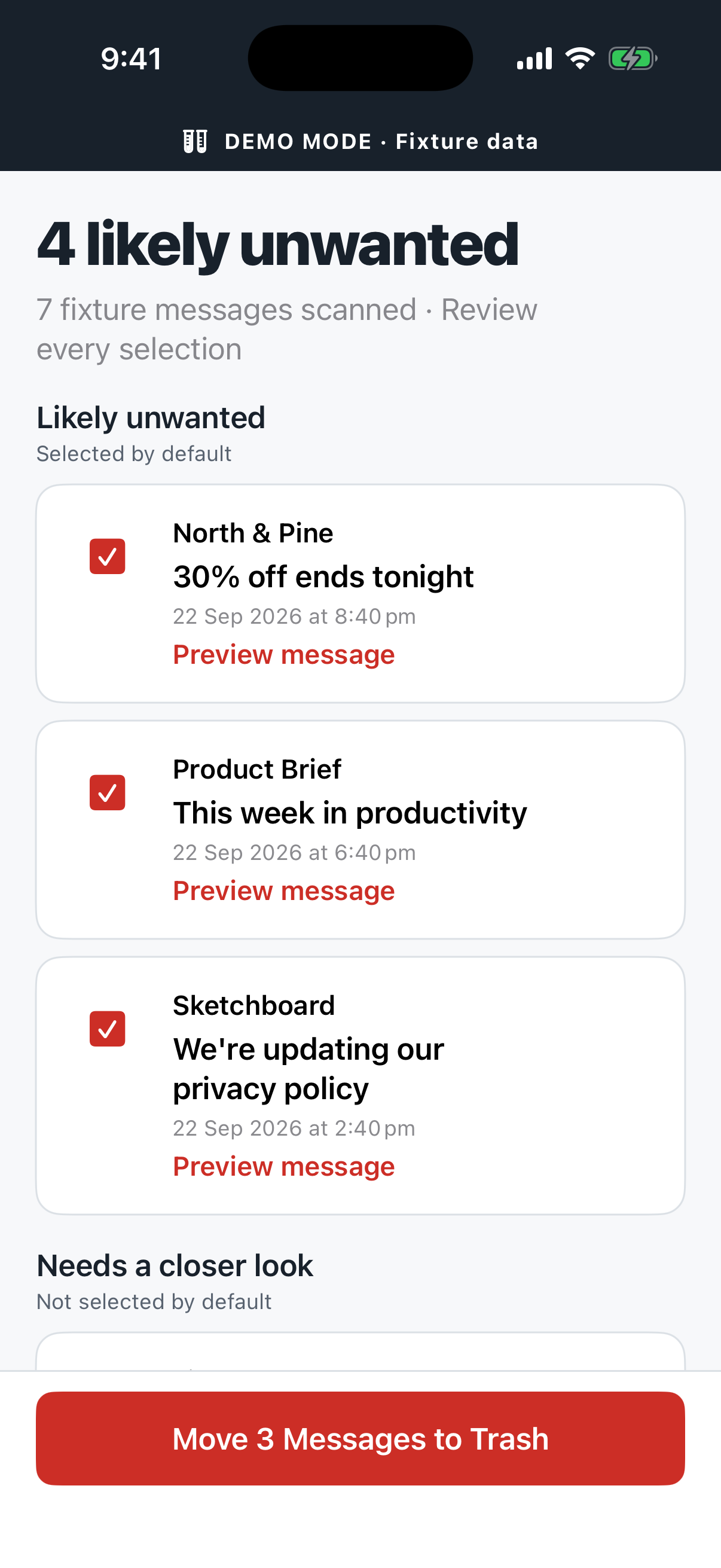
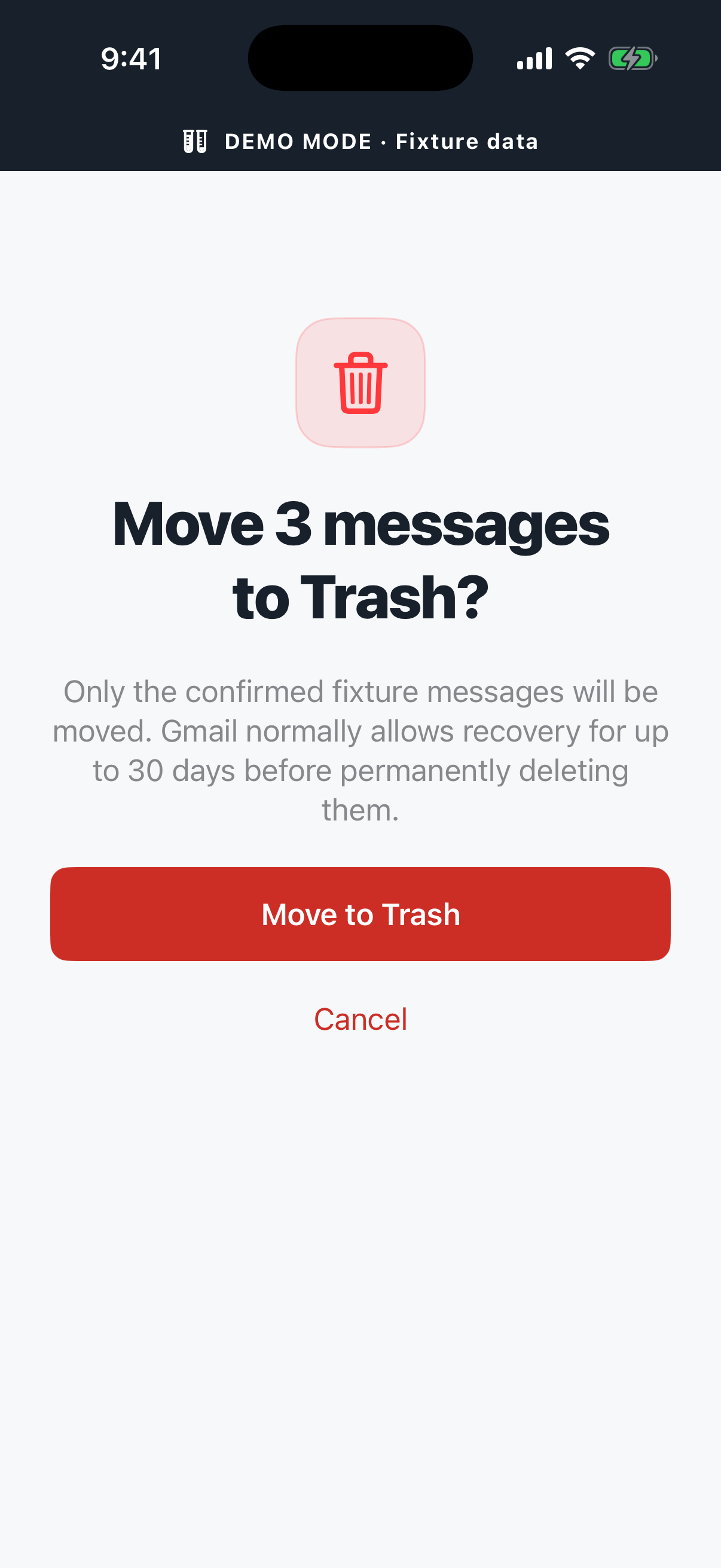
Review firstNothing moves until you confirm.
The app, step by step
A focused Gmail cleanup flow, built around the same calm, clear controls you see in the app.
Connect Gmail, choose how far back to look, then start when you are ready.
Likely unwanted messages are easy to scan and deselect. The final choice stays yours.
Confirm the exact count before anything moves to Gmail Trash, where it remains recoverable.
Private by design
Email assessment happens on your iPhone. Your email content is never sent to ZZMailer or a cloud AI service for classification.
The app connects to Google to sign in, retrieve messages, and move only the messages you confirm to Trash.
The classification model runs on your device. If local assessment is unavailable, ZZMailer does not fall back to a cloud model.
An AI suggestion is never permission to remove an email. You review and explicitly confirm every change.
Good to know
No. It is a focused cleanup companion. Keep using Gmail to read, write, and manage your mail.
Email assessment runs locally on your iPhone. Signing in, retrieving messages, and moving confirmed messages to Trash require internet access.
Yes. AI suggestions can be mistaken, so ZZMailer keeps you in the review loop and lets you deselect anything you want to keep.
ZZMailer is currently in development. Public availability and supported-device details will be shared when the app is ready.
ZZMailer for iPhone · Built for Gmail · Currently in development